Introduction
This guide will show you exactly how to download Facebook reels.
Facebook Reels have become one of the best ways to discover funny clips, cooking tutorials, and viral moments. But Meta makes it frustratingly difficult to save these videos. If you try to save a Reel within the Facebook app, it often gets buried in a “Saved” folder that you can’t access offline, or worse, it saves with no audio.
Whether you want to share a video with a friend who doesn’t have Facebook, or you just want to keep a copy of your favorite memory, you need a reliable downloader.
Fortunately, SocialDownload.app now supports Facebook. Download Facebook Reels in full 1080p HD quality to your phone or computer—without installing any suspicious apps.
Why Use SocialDownload for Facebook Reels?
You might see apps on the App Store promising to save videos, but most require you to log in with your Facebook password. Never do this. Giving a third-party app your login credentials is a massive security risk.
Our tool is safer and better for three reasons:
- No Login Required: We don’t ask for your password. We simply fetch the public video file.
- Original Quality (1080p): We extract the raw MP4 file directly from Facebook’s server, so you get the highest possible resolution.
- Cross-Platform: It works on iPhone (iOS), Android, Windows, and Mac.
How to Download Facebook Reels on Android and iPhone
Saving a video to your mobile gallery takes less than 30 seconds. Follow these steps:
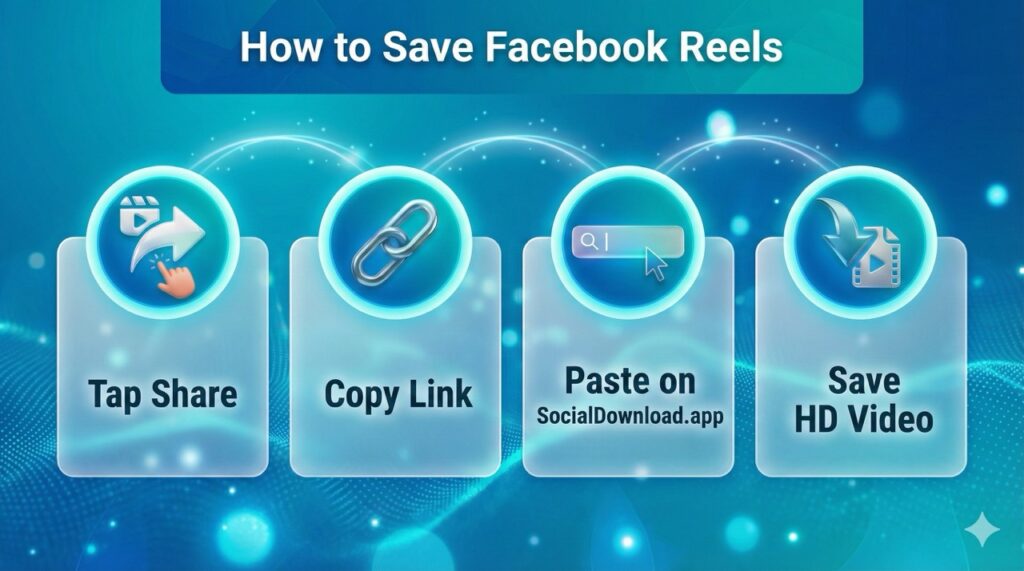
Step 1: Copy the Link Open the Facebook app and find the Reel you want to save. Tap the “Share” button (the arrow icon usually at the bottom right of the screen). In the menu that pops up, scroll until you see “Copy Link” and tap it.
Step 2: Go to SocialDownload.app Open your mobile browser (Chrome or Safari) and navigate to SocialDownload.app.
Step 3: Paste and Download Paste the link you just copied into the white search box at the top of the page. Tap the blue “Download” button. Wait a moment for our server to process the video.
Step 4: Save to Gallery You will see a preview of your video with a “Download Video” button. Tap it.
- On Android: The file will download instantly to your Gallery or “Downloads” folder.
- On iPhone (Safari): Tap the blue arrow in the address bar, select “Downloads,” tap the video, and choose “Save Video” to move it to your Photos app.
How to Download Facebook Reels on Desktop (PC or Mac)
Downloading on a computer is even easier and perfect for video editors who need the file for compilations.
- Open Facebook in your browser and click on the Reel to expand it.
- Copy the URL from the address bar at the top of the browser.
- Go to SocialDownload.app and paste the link.
- Click Download. The high-definition MP4 file will be saved to your computer’s “Downloads” folder automatically.
Common Questions (FAQ)
Can I download private Facebook Reels?
No. We respect user privacy. If a user has set their profile to “Private” or “Friends Only,” our tool cannot access their content. You can only download Reels that are posted publicly.
Does this download the audio?
Yes. Unlike screen recording, which often captures background noise or low-quality sound, our downloader extracts the original audio track perfectly synced with the video.
Is it free?
Yes, SocialDownload is 100% free to use. We do not charge for high-quality downloads or limit the number of videos you can save.
Are the downloaded videos watermarked?
No. Unlike other tools, we provide the clean, original video file with no added logos or watermarks.
Conclusion
Don’t let your favorite videos disappear in the endless feed. With SocialDownload.app, archiving Facebook Reels is fast, free, and secure. Bookmark our site today so you never lose a viral moment again.